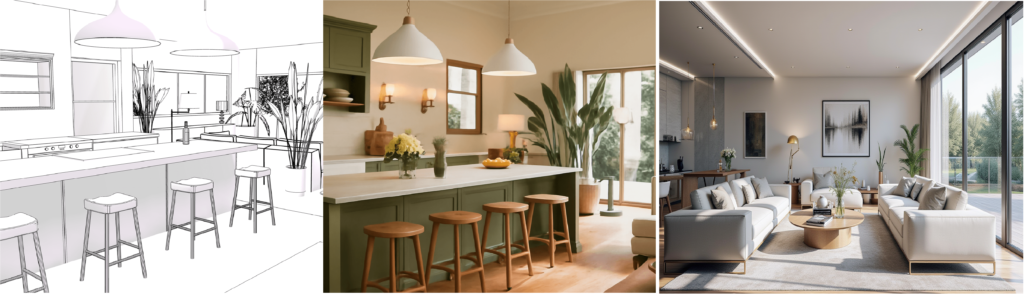
When I first started experimenting with AI powered interior design tools, I didn’t expect much.
Interior design, for me, always felt deeply personal about how a space feels, not just how it looks.
But after testing AI tools on:
- a small bedroom,
- a rented apartment,
- and a compact home office,
I realized something important:
AI doesn’t replace taste but it removes confusion.
This article is not a generic explanation.
It’s based on hands-on testing, real scenarios, and honest pros & cons, along with specific AI tools I’d recommend depending on your situation.
Quick takeaway:
- Best for homeowners, renters, and designers
- Ideal for visualizing before spending money
- Not a replacement for professionals
- Works best as a planning and inspiration tool
What AI Powered Interior Design Tools Actually Do
AI powered interior design tools analyze:
- room dimensions
- layout constraints
- lighting
- furniture proportions
- thousands of existing interior designs
AI tools then generate design suggestions that are visually balanced and practical.
Think of them as:
a fast, data-driven assistant that gives you options you may not think of yourself.
AI tools don’t decide for us but they help us to see possibilities.
A Real Example: Fixing a Small Bedroom That Felt Suffocating
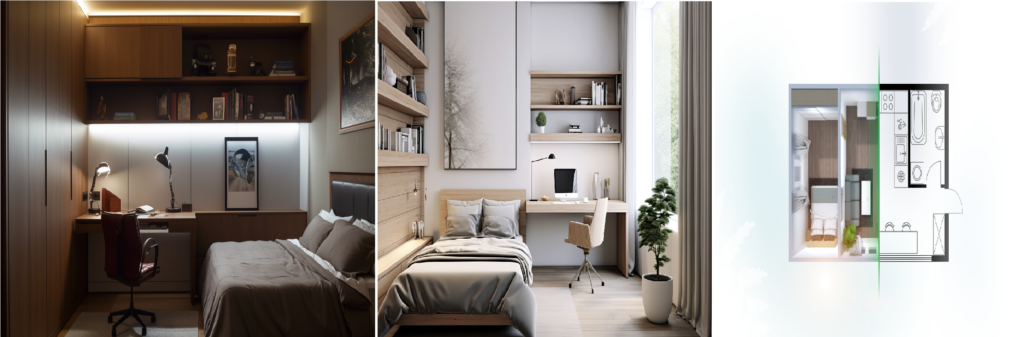
I had a small bedroom that always felt uncomfortable:
- dark walls
- oversized furniture
- awkward walking space
What I did
- Uploaded a simple phone photo
- Selected a minimal / modern style
- Asked the AI to optimize for small space
What actually helped
- It suggested lighter wall tones
- Repositioned the bed for better movement
- Reduced visual clutter
Did I copy the design exactly?
No. But it gave me clarity and that is where AI shines.
Where AI Powered Interior Design Tools Are Genuinely Useful
– Visualizing Before Spending Money
This alone makes AI tools worth trying.
Instead of guessing:
- “Will this sofa dominate the room?”
- “Is this color too cold?”
We see it first.
– Perfect for Renters
AI tools are ideal when:
- you can’t make permanent changes
- you want reversible improvements
Furniture placement, colors, lighting — all without renovation.
– Speed for Designers & Creators
For professionals:
- faster concept mockups
- quicker client alignment
- easy visuals for presentations and social media
AI becomes a productivity multiplier, not a replacement.
AI Interior Design Tools I’d Personally Recommend (Based on Use Case)
This is the part most articles skip: specific tools with honest context. If you’re still exploring which platforms are available, I’ve already broken down the most popular options in my detailed guide on best AI interior design tools, where I compare features, use cases, and limitations.
1) Planner 5D

Best for: Beginners & homeowners
Why I like it:
- Very intuitive
- Great for layout planning
- Strong 2D → 3D visualization
Use it if:
- You want to design from scratch
- You’re planning furniture placement
- You’re new to interior design
Limitation:
Not ideal for photo-based redesigns.
Planner 5D: “Best overall choice for beginners and homeowners.”
2) RoomGPT
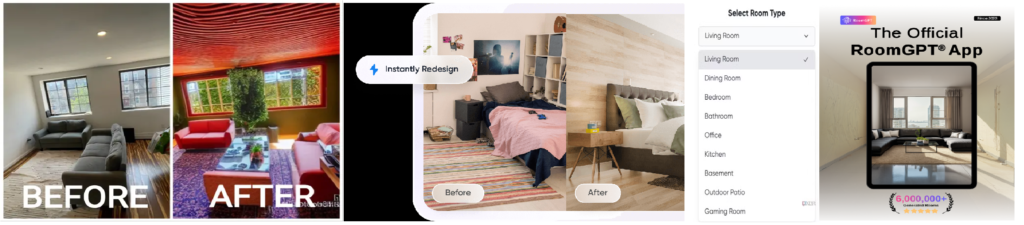
Best for: Instant inspiration
Why it’s impressive:
- Upload a photo
- Get multiple redesign styles instantly
Use it if:
- You want quick ideas
- You’re experimenting with styles
- You need inspiration, not precision
Limitation:
Results can be inconsistent depending on photo quality.
RoomGPT: “Best for fast inspiration and style exploration.”
3) Homestyler

Best for: Detailed room planning
Why it stands out:
- Realistic 3D renders
- Good furniture & lighting controls
- Suitable for semi-professional use
Use it if:
- You want more control than basic AI tools
- You enjoy tweaking details
Limitation:
Slight learning curve.
Homestyler: “Best for users who want more control and detail.”
Homestyler: “Best for users who want more control and detail.”
4) Foyr Neo
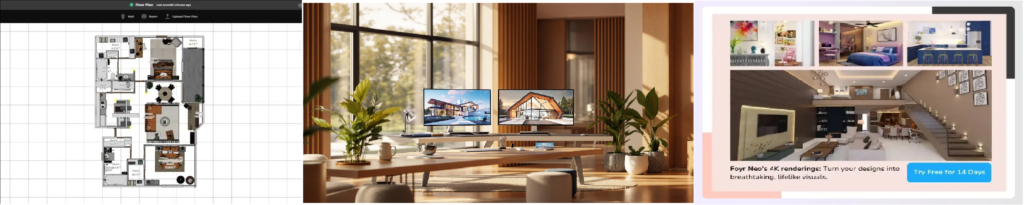
Best for: Interior designers & studios
Why professionals use it:
- Faster client-ready renders
- AI-assisted workflows
- Business-friendly features
Use it if:
- You work with clients
- You need speed + polish
Limitation:
Overkill for casual users.
Foyr Neo: “Best for professionals and studios.”
How I Personally Use AI Tools (You Can Copy This)
This workflow has worked best for me:
- Upload room photo
- Generate 2–3 AI design variations
- Screenshot what feels right
- Mix ideas manually
- Finalize before spending money
If you want a step-by-step walkthrough with screenshots, I’ve explained the full process in my guide on how to use AI interior design tools for real rooms.AI gives direction, not decisions.
Where AI Interior Design Tools Still Fall Short
Let’s be honest.
– They don’t understand emotions
AI can’t grasp:
- sentimental value
- cultural context
- personal habits
– Bad input = bad output
Poor photos or wrong measurements lead to unrealistic results.
– Not for complex renovations
Structural changes still need professionals.
AI Powered Interior Design Tools vs Traditional Designers
| Scenario | AI Tools | Human Designers |
| Quick ideas | ✅ Excellent | ❌ Slow |
| Budget planning | ✅ Helpful | ⚠️ Expensive |
| Emotional design | ❌ Weak | ✅ Strong |
| Renovations | ❌ Limited | ✅ Essential |
Best approach:
Use AI first then consult a designer with clarity.
Are AI Powered Interior Design Tools Worth It in 2026?
My honest answer: Yes if you know the reason for what you’re using them.
They:
- reduce overwhelm
- prevent costly mistakes
- speed up decisions
AI tools don’t replace creativity but they support it.
FAQs (From a Real User’s Perspective)
Are AI interior design tools accurate?
They’re directionally accurate great for planning and inspiration.
Can beginners really use them?
Yes. Most tools are designed for non-designers.
Are they useful for small homes?
Absolutely. Small spaces benefit the most.
Can AI replace interior designers?
No but it can make designers more efficient.
Final Thoughts (Personal)
AI powered interior design tools won’t design your dream home for you.
But they will help you:
- see possibilities
- avoid mistakes
- feel confident in decisions
And in interior design, confidence matters more than perfection.
Written by: AI Creators Studio
We test and explain AI tools through real use cases, not hype.